


Want to calculate Freight Charges for Stops using Embedded/Decentral TM on S/4HANA?
- Aman Jain

- Jun 13, 2024
- 3 min read
Updated: Oct 29, 2025

Often while implementing SAP Transportation Management on S/4HANA, you come across a requirement from your customers - I have to pay my carrier for the stops they make between source to destination. It becomes imperative then to build a solution using your SAP TM application which allows you to calculate the stop based charges without incorporating any custom enhancements. SAP introduced a new feature in TM on S/4HANA in S/4HANA-2022 which allows the system to calculate freight charges for the total stops the carrier make from source to destination.
Handle Stop Based Freight Charges using embedded/decentral TM on S/4HANA
We have configured and setup a case where the transportation freight carrier makes a stop between starting point (shipping point) and the customer and TM on S/4HANA is accurately able to calculate the freight for the stop made by the carrier so that later freight discrepancies can be eliminated. The process runs in various steps which are explained below:
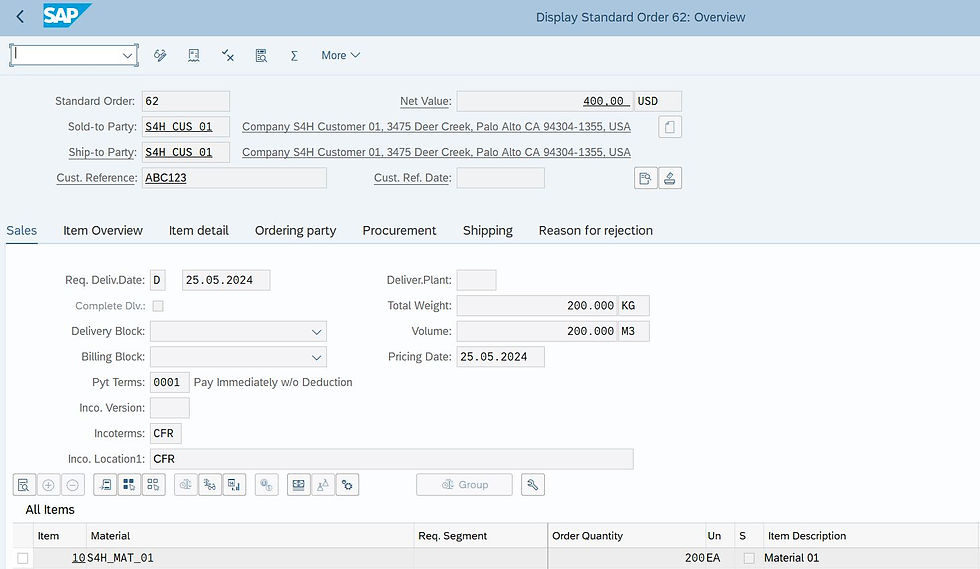
Sales Order is created for the customer: First step in this scenario requires us to simulate a real world case where a standard sales order is created for the customer as shown below:
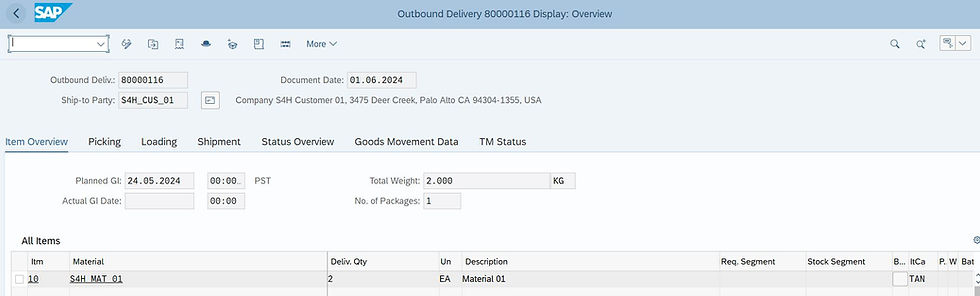
Outbound Delivery created for the customer: An outbound delivery is created against the sales order to fulfil the requirements of the customer in required time. This is usually done using the SAP Tnx: VL01n as shown below:
Freight Units created in TM: Freight Units are created as soon as the delivery is saved and they can be displayed in the document flow as shown in the figure below:

Freight Units planned on a Freight Order: Using the Transportation Cockpit Fiori App, the Freight Unit is planned on a Freight Order. During this process the carrier, transportation vehicle and other important information is also assigned to the Freight Order.
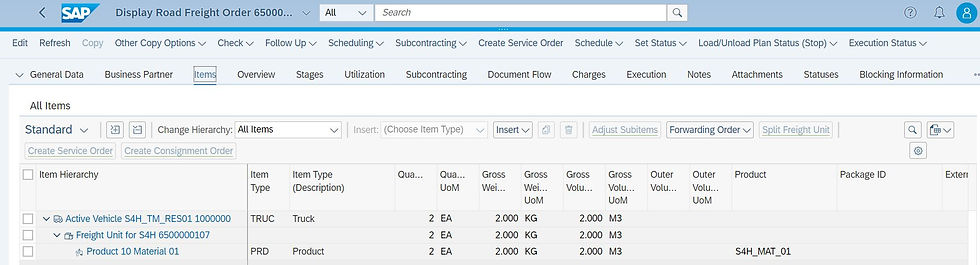
Freight Order displaying a stop between Source and Destination: As the truck makes a stop between the shipping point and the customer, it is configured in such a manner that the truck driver makes a stop at another warehouse of the customer. This can be easily displayed in the Stages node as shown in the figure below:

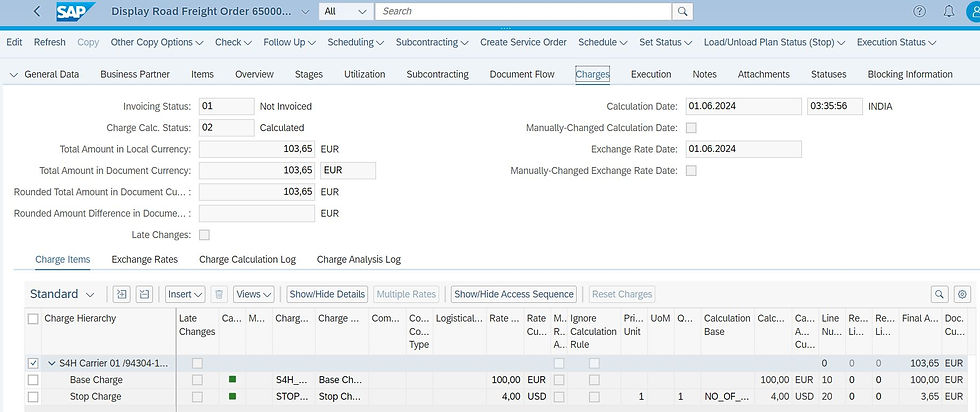
Freight Calculated along with a Stop Charge: Once the required information is assigned to the Freight Order, TM system can auto calculate the Freight Charges or it Logistics Operator can manually calculate the Freight Charges in the Freight Order. The Stop based charges calculation is automatically done by the TM system and the freight charges are displayed in the "Charges" tab of the Freight Order.
Master Data
Set-Up Rate Table for Stop based charges.

Set-Up Calculation Sheet for Stop based charges in your Freight Agreement.

Pre-Requisites
Properly defined Calculation Basis in TM on S/4HANA.
Master Data setup for Charges calculation such as Rate Table, Calculation Sheet and Freight Agreement.
Know More
Partner with Us Click here: (https://www.futuryntix.com/contact-us)
At Futuryntix Uk Ltd., we specialize in unlocking the full potential of SAP systems, including advanced tools like SAP BTP & SAP Build Suite including Build Apps. Our expertise in business process management and transformation ensures that we can tailor solutions to meet your unique needs, helping you streamline operations, enhance compliance, and accelerate your digital transformation journey.
Partner with Futuryntix Uk Ltd. and let our skilled team guide you through every step of your SAP optimization, ensuring that your business not only adapts but thrives in the digital age.
SAP Press Book from the house of Innosight Ltd


Comments